
Invoice Reader
AI Carrier Invoice Pipeline
Turn carrier invoices in any format into validated, per-surcharge shipment data in BigQuery, with full spend visibility, built-in reconciliation and human review only where the AI is unsure.
- Role
- Sole engineer — design, build, deploy
- Timeline
- 2026
Why teams use it
- Know exactly what you pay. Every invoice line from every carrier lands in one warehouse table, one row per surcharge, so spend by carrier, service and month is a query, not a spreadsheet project.
- Trust every number. Each file is reconciled against the original invoice (row counts, cost totals, tracking codes) before anything is loaded. What doesn’t add up is stopped and explained.
- Humans only where it matters. The AI does the extraction. Low-confidence records go to a review queue with a score and a reason, instead of silently flowing into reports.
- A predictable AI bill. Token usage and estimated cost are tracked per file, per carrier and per record, so the cost of the automation is never a surprise.
- Onboard a carrier in a config entry. A new CSV format needs no code. Awkward formats get a tested transform, and unfamiliar ones are read by the model.
All screenshots below use synthetic data: carrier names, files and figures are invented.
Product tour
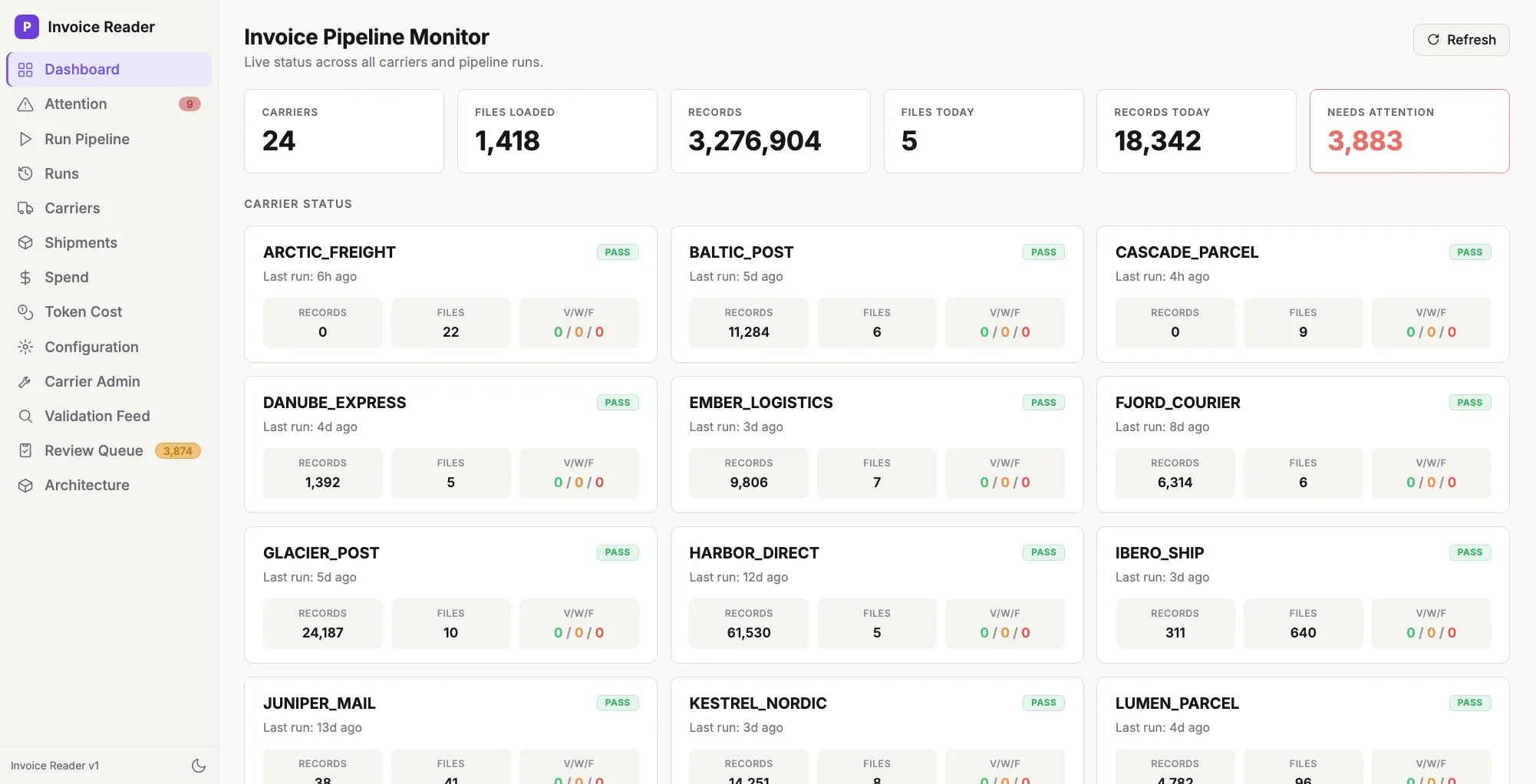
Live status across every carrier
One screen shows how many carriers, files and records are loaded, what arrived today, and what needs attention, with a validation count (pass / warning / fail) on every carrier card.
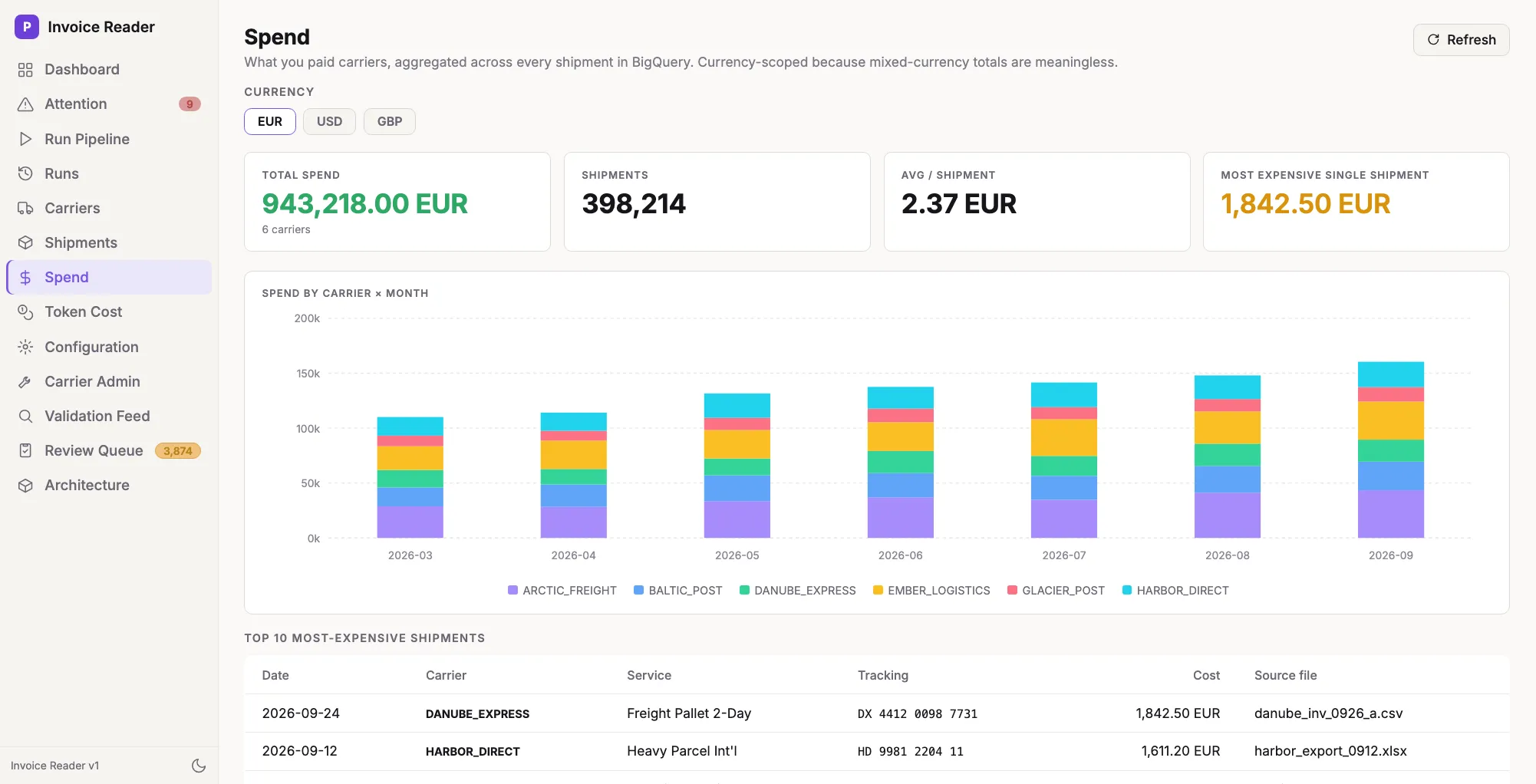
Know exactly what you pay
Spend by carrier and month, average cost per shipment and the most expensive individual shipments, scoped by currency so totals are never mixed.
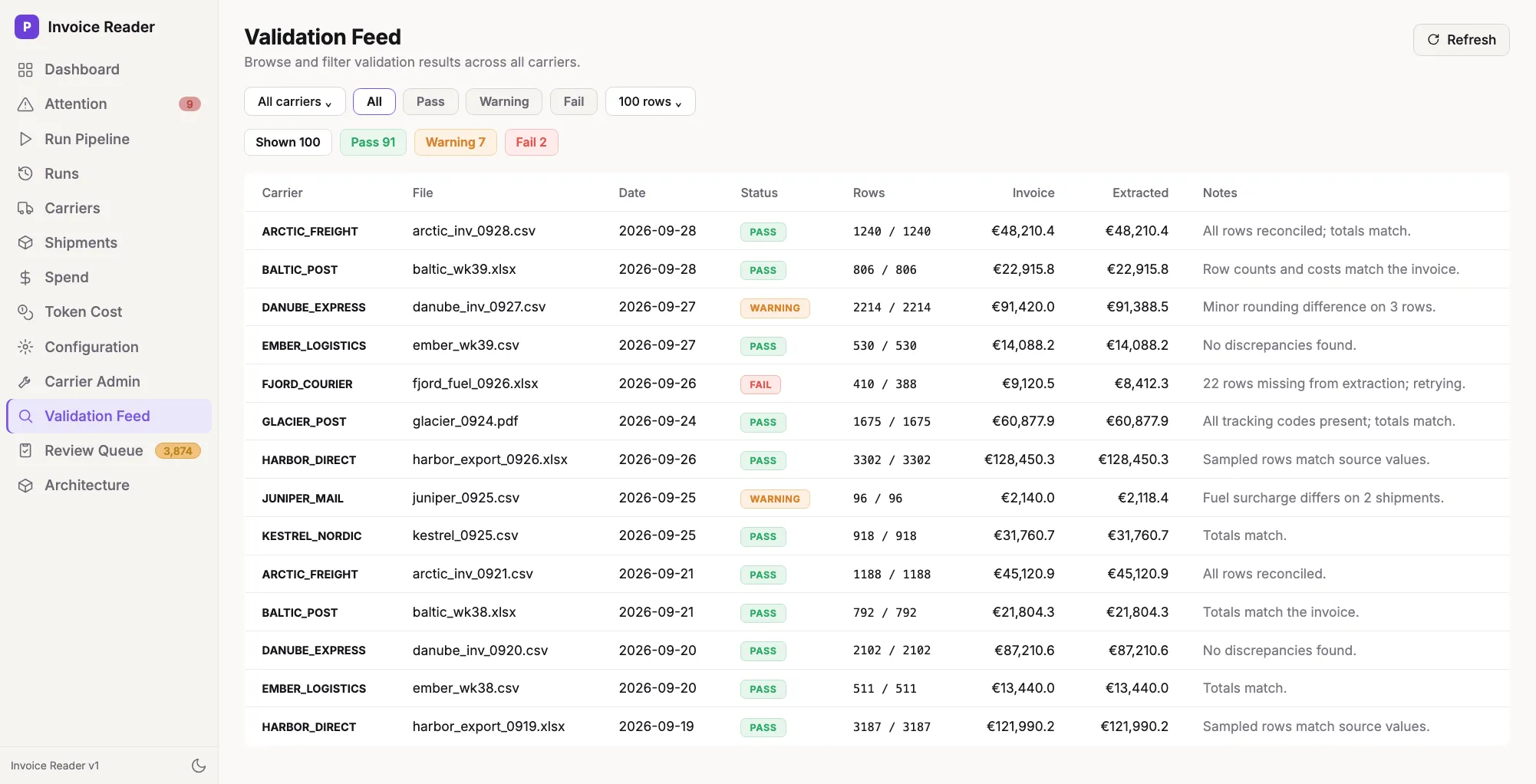
Trust every number
Every file’s invoice rows and totals are compared with what was extracted, with a status and a plain-language note. A mismatch is a visible failure, not a quiet error.
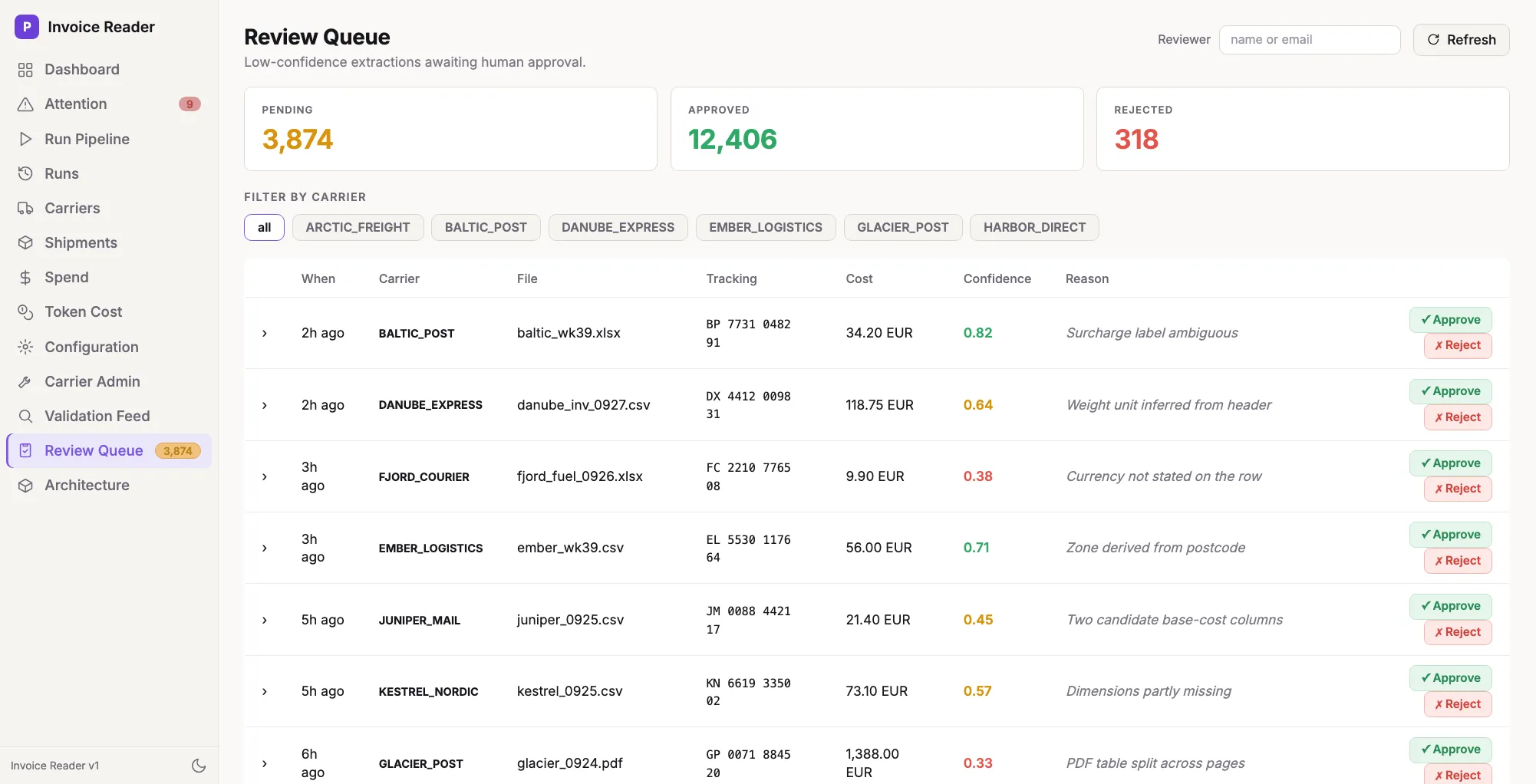
Humans in the loop, only where it matters
Records the model is unsure about wait in a queue with a confidence score and the reason. A reviewer approves, edits or rejects, and every decision is recorded against the record.
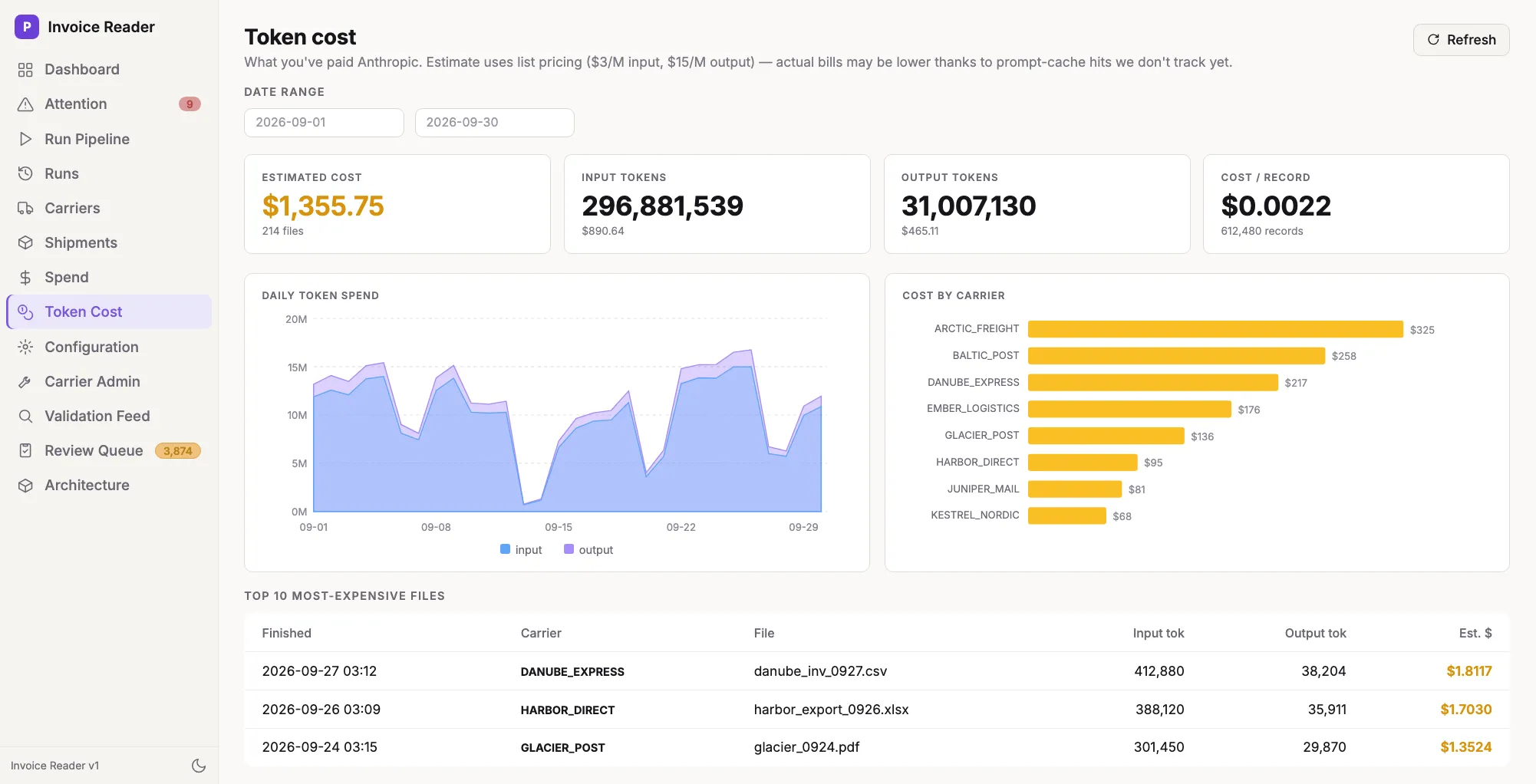
A transparent AI bill
Input and output tokens, estimated cost, cost per record, daily usage and which carriers drive the cost.
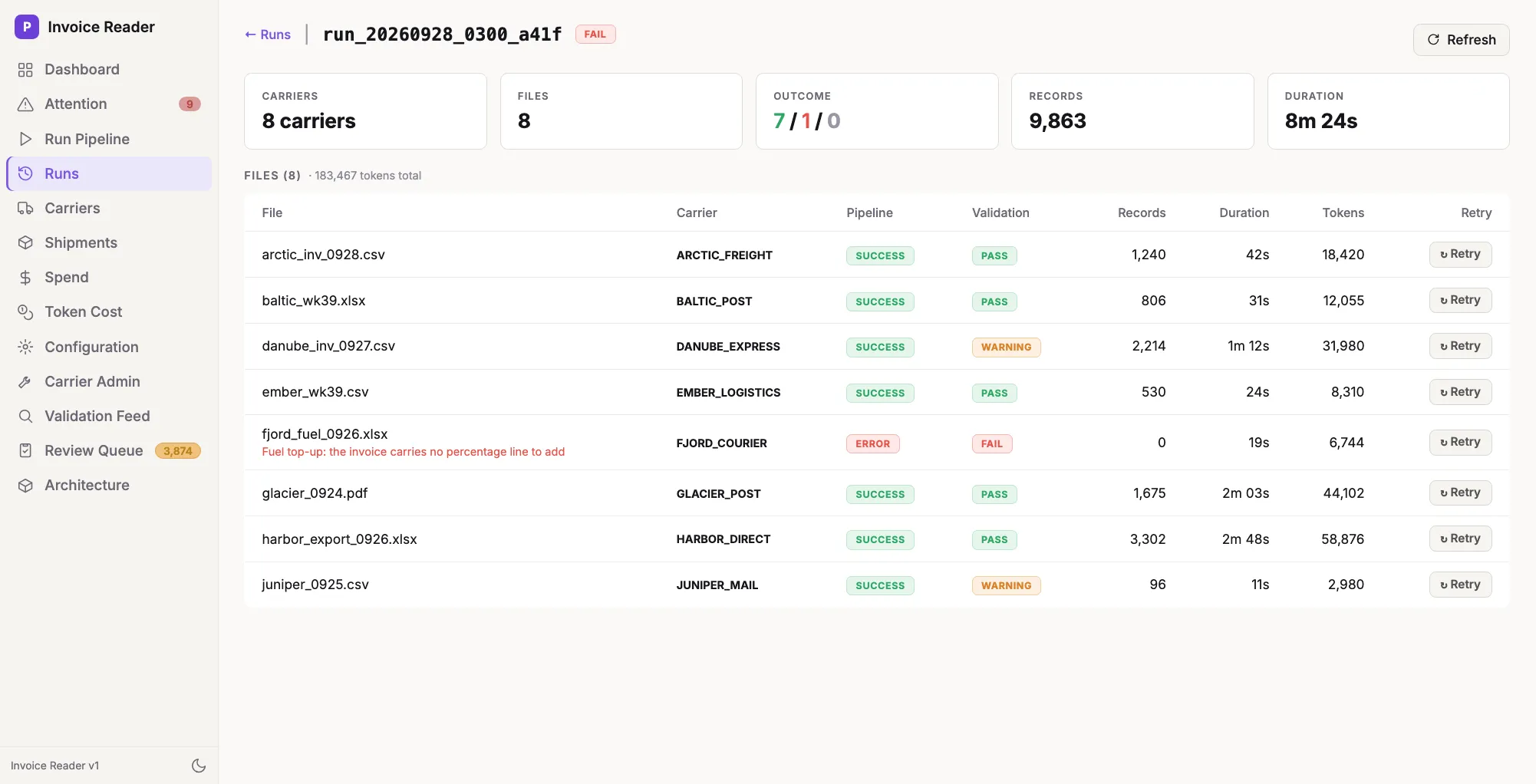
Every run is traceable, every failure recoverable
Each pipeline run lists its files with pipeline and validation outcome, duration and tokens. A failed file shows why it failed and can be retried in one click.
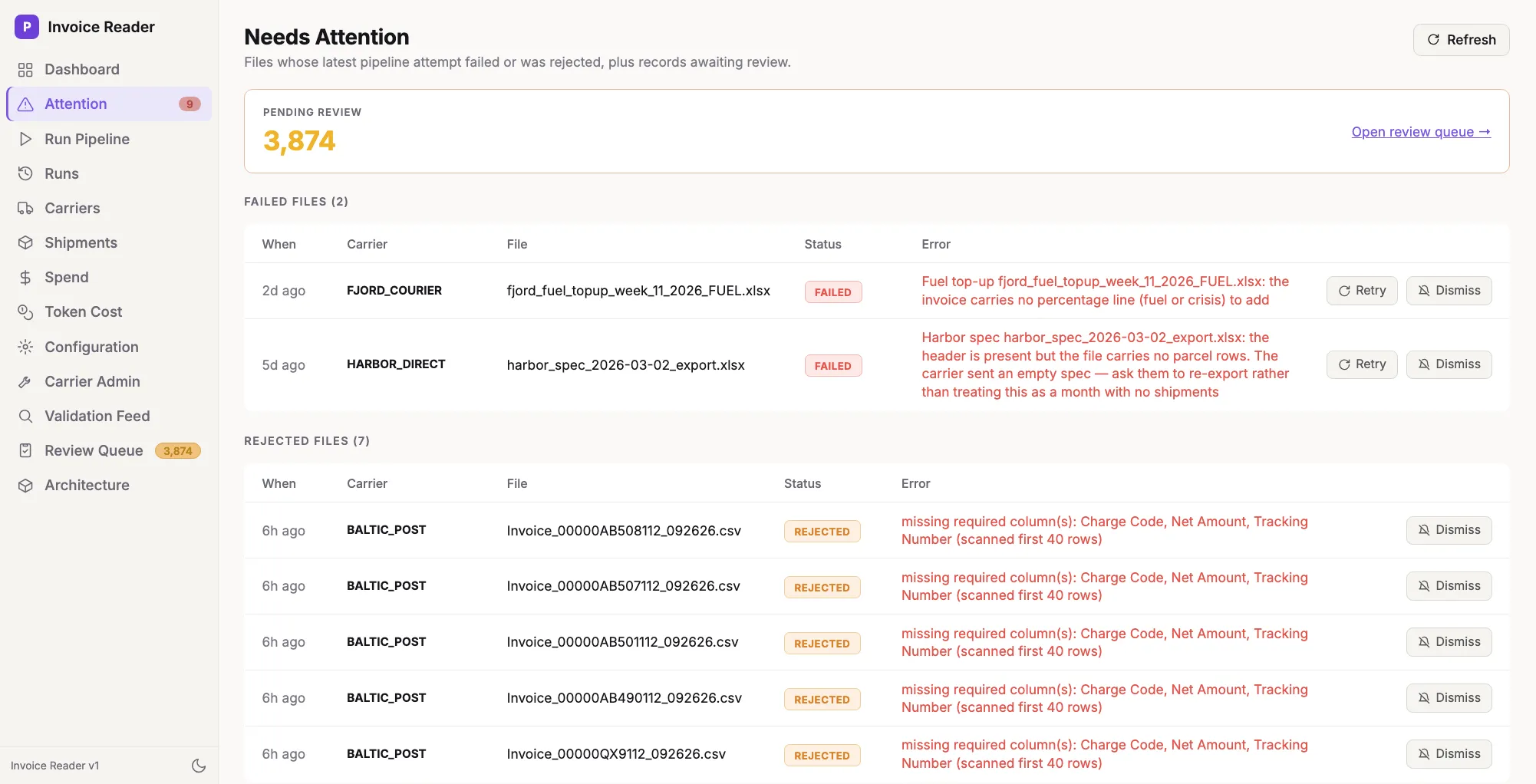
Failures never hide
Files that failed or were rejected, and the records awaiting review, are collected in one queue with the exact reason, ready to retry or dismiss.
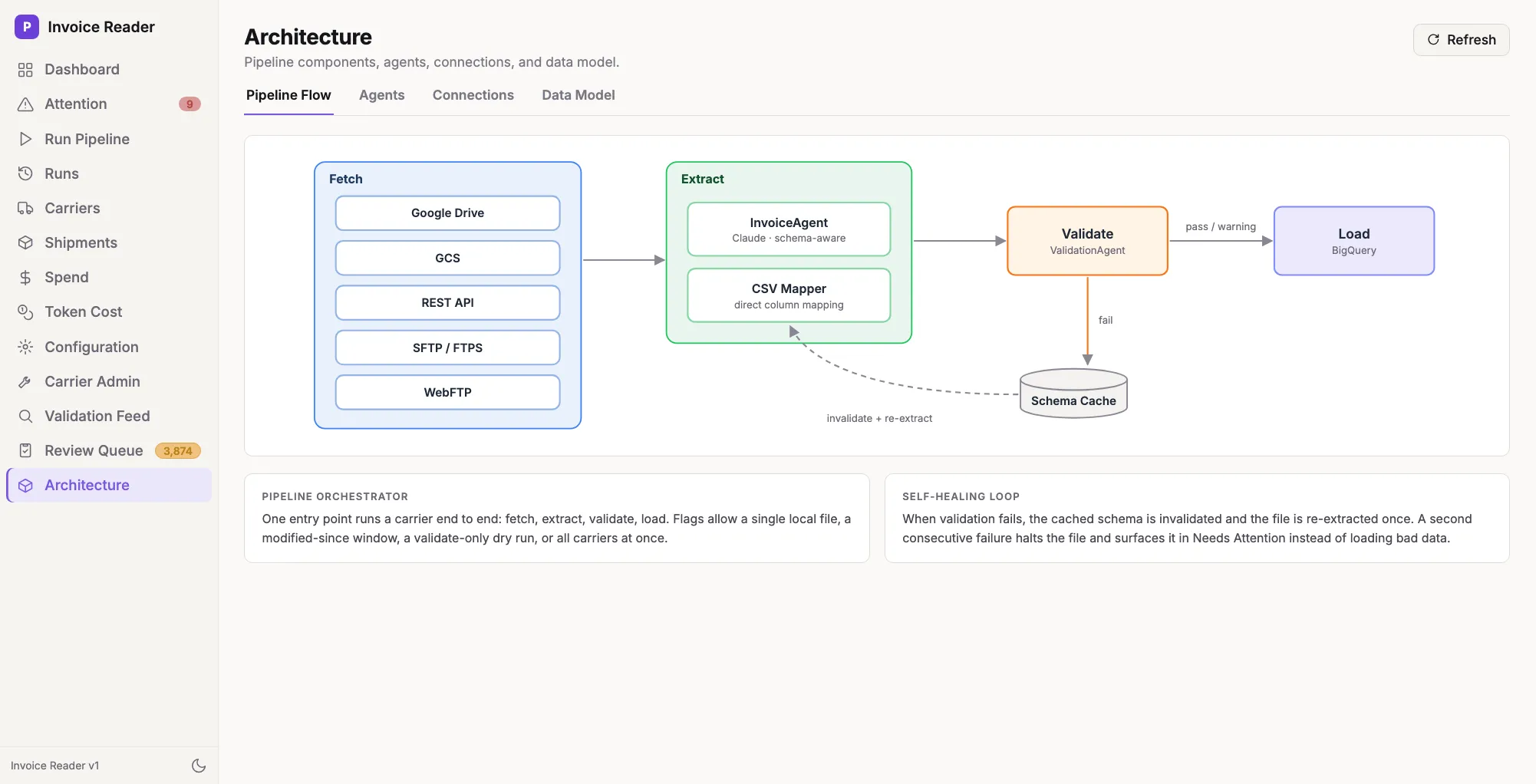
How it works
Fetch, extract, validate, load, with a self-healing loop: if validation fails, the cached schema is invalidated and the file is re-extracted once before anything is loaded.
Under the hood
- Fetch invoices from whichever source the carrier uses: Google Drive, FTPS, SFTP, GCS or a REST API.
- Extract shipment records with Claude, which returns structured tool calls; large files are chunked with the header repeated in each chunk. Stable CSV formats skip the model through a column mapping in YAML, and awkward ones use a code-pinned transform.
- Validate every extraction against the raw invoice: row counts, cost totals and tracking-code diffs are computed deterministically, then a sample goes to Claude for a semantic review.
- Load one row per surcharge into BigQuery, with the source file recorded for traceability.
A React admin UI sits on top of the pipeline, backed by a Python API.
Results
- One pipeline ingests invoices from five source types and three file formats.
- Nothing reaches BigQuery unless it reconciles against the source file; files that don’t are rejected with a specific reason instead of loading silently wrong numbers.
- Operators see exactly which carrier, file and error needs attention, and can retry from the UI.
- The cost of the AI itself is measured per record, not guessed.
What I’d do differently
Push more carriers onto deterministic transforms earlier. The model is excellent for onboarding an unfamiliar format fast, but once a format is stable, a tested transform is cheaper, faster and fully reproducible.